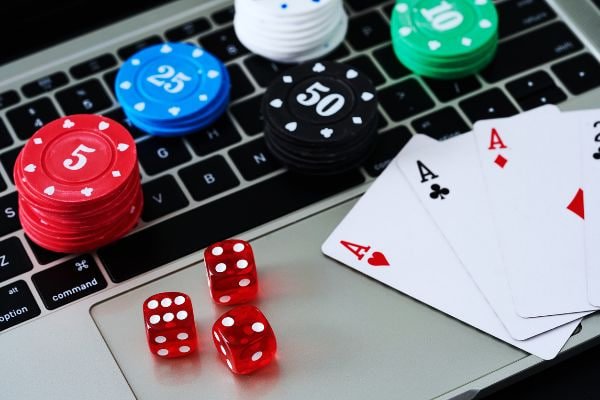
Take everything 777oub offers — sports betting, live casino, slots, eBingo — and put it in your pocket. Fast, secure, and optimised for Filipino players on the go.
Most Filipinos spend a good chunk of their day on a phone. Whether it is commuting along EDSA, taking a break in between classes in Quezon City, or relaxing after work in Davao — the mobile experience is often the primary one. The 777oub app was built with exactly that in mind: a complete, full-featured gaming platform that is fast to load, comfortable to navigate on any screen size, and never feels like a stripped-down version of something better.
Every feature available on the desktop platform is present in the app. You can check live sports odds and place in-play bets on PBA games, spin your favourite slot titles, sit down at a live baccarat or blackjack table with real dealers, join an eBingo room, and manage your PHP account wallet — all without switching devices. The interface adapts cleanly to both small smartphone screens and larger tablet displays.
Security does not get compromised for the sake of convenience. The 777oub app uses SSL encryption on all connections, supports OTP-based two-step login verification, and keeps your account and transaction data protected at every point. Whether you are logging in from a café in Cebu or a co-working space in BGC, your account stays secure.
Push notifications are available to keep you up to date on the things that matter — upcoming sports events you have bookmarked, account activity alerts, and periodic updates about current promotions. You can customise which notifications you receive, so it never becomes intrusive.
All 777oub app connections are protected by SSL encryption. Enable two-step verification in your account settings for an extra layer of login security.
Whether you prefer a native app install or just opening a browser, 777oub has a mobile access option that works for you.
Download the APK directly from the 777oub website — no third-party app store required. Works on Android 8.0 and above. Enable "Install from unknown sources" in your device settings before installing, then follow the on-screen steps. The whole process takes under two minutes.
iPhone and iPad users can install the 777oub app via the App Store link provided on this page. Compatible with iOS 13 and later. Once installed, log in with your existing account or register directly inside the app to get started right away.
Not ready to install anything? Open 777oub directly in Chrome, Safari, or Firefox on your phone and access the full responsive web experience. No app download needed — just log in and play. Works on any modern smartphone browser.

Installing the 777oub Android app is a quick process. The APK is downloaded directly from the official 777oub site, so you always get the latest version without relying on a third-party store listing.
Go to Settings > Security (or Privacy, depending on your Android version) and enable "Install from unknown sources" or "Allow installs from this source." This is a one-time step needed before installing any APK outside the Play Store.
Tap the Android download button on this page from your phone's browser. The APK file will save to your Downloads folder. Make sure you are on a stable Wi-Fi or mobile data connection during the download.
Open your file manager, navigate to Downloads, and tap the 777oub APK file. Follow the on-screen install prompts. The app will appear on your home screen or app drawer once installation is complete.
Open the app, log in with your existing 777oub account credentials, or tap Register to create a new account directly within the app. Your account data syncs across app and desktop automatically.
iPhone and iPad users have a straightforward App Store installation experience. No settings changes are required — just find the app and install.
Use the iOS button on this page from your iPhone or iPad browser. You will be directed to the App Store listing for the 777oub app.
In the App Store, tap the Get button (or the cloud download icon if you installed it before). Authenticate with Face ID, Touch ID, or your Apple ID password to confirm the install.
Once installed, open the 777oub app from your home screen, log in or register, and the full gaming platform is immediately available — sports betting, live casino, slots, and more.
If you prefer not to install any app at all, the 777oub mobile web version works fully in Chrome, Safari, and Firefox on both Android and iOS. Just open 777oub.com in your mobile browser and log in — no install required.
The app is not a lite version — it is the full 777oub platform built for mobile. Here is everything inside.
Full pre-match and live in-play markets for PBA, NBA, PVL, Football, Boxing, Esports, and dozens of international sports. Odds update in real time inside the app.
HD-streamed live dealer Baccarat, Blackjack, Roulette, Dragon Tiger, and Sic Bo tables — running 24/7 and accessible from the app with just a tap.
Hundreds of slot titles optimised for touch controls — classic reels, video slots with bonus rounds, and jackpot titles all run smoothly on mid-range phones.
Multiple eBingo rooms with different draw speeds. Join a game from anywhere in the Philippines and enjoy the social bingo experience on mobile with real-time number displays.
Deposit and request withdrawals in Philippine Peso directly through the app. Local online banking, mobile banking, and Philippine e-wallets are accessible from the app's wallet section.
Get alerts for upcoming matches you have favourited, account logins, transaction confirmations, and periodic updates on active promotions. Customise or mute anytime.

Both options give you the full 777oub experience. Here is a quick side-by-side so you can choose what works best for you.
Mobile network conditions across the Philippines vary — from fibre-fast connections in Metro Manila to mixed LTE coverage in provincial areas. The 777oub app is optimised to handle that reality. It loads game content efficiently, buffers live casino streams ahead of time to reduce interruptions, and keeps the interface responsive even on mid-range Android phones that are common across the country.
Account security is built into every layer of the app. All data sent between your device and 777oub's servers is encrypted via SSL. Login sessions are protected with session tokens that expire automatically, and you can enable OTP two-step verification for an extra checkpoint every time you sign in from a new device. If you ever notice unusual activity, the app makes it easy to review active sessions and sign out remotely.
Optimised for LTE and mixed network conditions — live streams and odds feeds stay smooth even on variable connections.
SSL encryption on all connections — your account data, payment details, and session activity are always protected in transit.
OTP two-step login verification — optional but recommended. Adds a second authentication layer every time you log in from an unfamiliar device.
Automatic updates — the app notifies you when a new version is available so your platform stays current with the latest features and security patches.
Having the full casino platform in your pocket makes it easy to play anytime — which also means it is especially important to stay mindful of healthy gaming habits. Use the deposit limit and session time tools available in your account settings to help keep your gaming within comfortable boundaries.
The 777oub app is strictly for players aged 21 and above. Gaming should always be treated as entertainment, not as a way to generate income. If you feel your gaming habits are becoming a concern, use the self-exclusion feature or reach out to a gambling support service.
Read Our Responsible Gaming PolicyAnswers to the most common questions about downloading and using the 777oub mobile app in the Philippines.